
If you want your WordPress website to attract traffic and visitors from beyond your national borders, a multilingual website is a must these days. With Weglot, you can quickly set up a multilingual WordPress and WooCommerce site and even get automatic translation from DeepL.
In this article, we explain how to set up Weglot, which settings to consider, and how to have your texts translated by professional translators within Weglot.
Table of Contents
What sets Weglot apart from other WordPress translation plugins?
WordPress plugins are a dime a dozen. When it comes to multilingualism within the CMS, however, there are only a handful available.
With the exception of Weglot, all translation plugins have one thing in common: the website operator must translate their texts themselves or have them translated by professional copywriters.
Weglot takes a slightly different approach here and offers automatic translation via DeepL in more than 20 languages.
However, to ensure that the website operator does not have to enter every website themselves, a JavaScript file is loaded using a WordPress plugin, which activates the translated text as if by magic as soon as the visitor has selected their desired language.

This not only ensures fast and automatic translation of the entire website, but also saves a great deal of time when entering the translated texts.
Is Weglot SEO-friendly?
The short answer—yes!
From the outset, Weglot has designed its tool to be SEO-friendly and integrates various features so that search engines such as Google, Bing, and others can understand and index the translated web pages.
Weglot supports the translation of meta data and offers URL endings such as /en or /it. Weglot also implements hreflang tags, which are understood by browsers and search engines such as Google in the source code. This means that all language versions are linked to each other and, if desired, users can be redirected directly to the language version they understand.

Weglot also states that it works with SEO plugins such as "Yoast SEO," "RankMath," and "WordLift."
Can Weglot translate WordPress URLs?
Weglot also offers URL translation, but in this case you need the "Advanced Plan," which costs €199 or €1,990 per year.
How does Weglot's automatic translation work with WordPress?
When installing the WordPress plugin, Weglot provides JavaScript that is loaded on all pages. When a visitor accesses your website for the first time, DeepL's API is used to translate the text on the website. The translation is then displayed to the user or Google via the JavaScript file.
How to set up Weglot within WordPress
Weglot can be quickly set up on a WordPress website. The provider has developed an official WordPress plugin for this purpose, which makes setup a breeze.
- Install the Weglot WordPress plugin
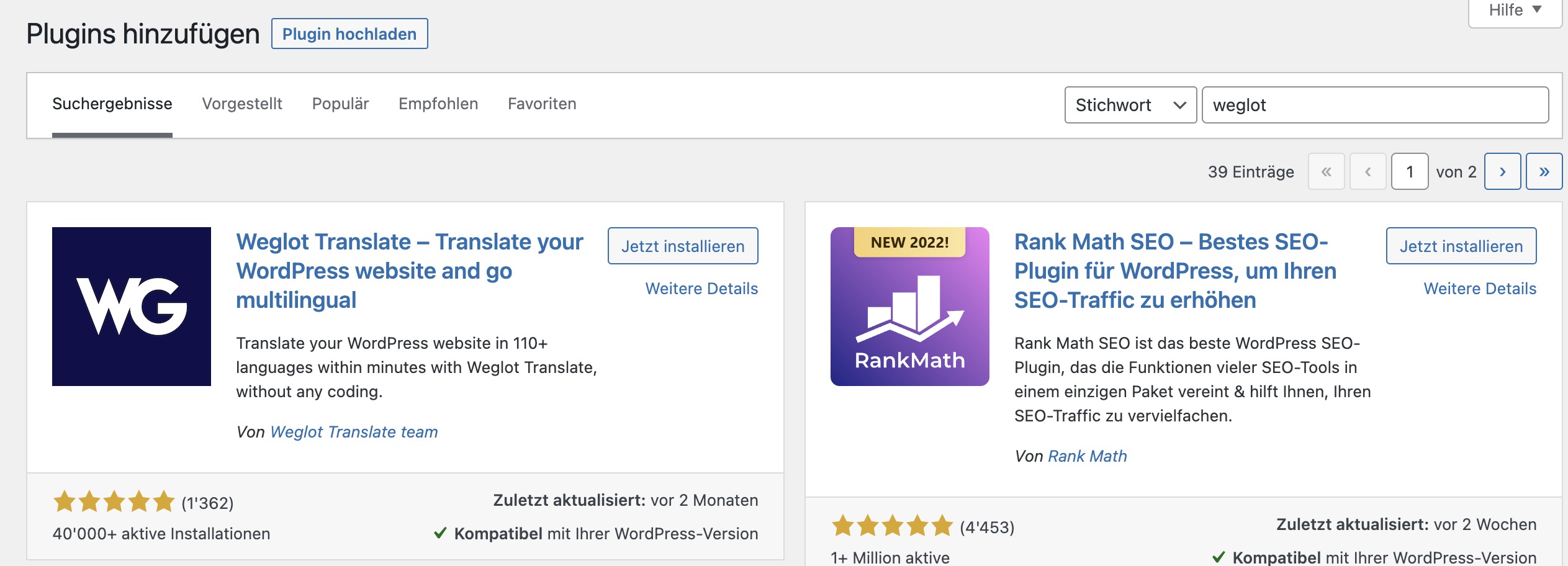
There are two ways to install the Weglot WordPress plugin. The first way is via the WordPress Plugin Directory where you can find the plugin. Once you have downloaded it, you can install it on your site via the WordPress dashboard or with an FTP client. For the second option, go to the "Plugins" menu item in your WordPress dashboard.Plugins -> Install” Here, simply search for “Weglot" and then click on Install.
- Enter the API key
Once you have installed and activated the Weglot WordPress plugin, you will find the item "WeglotSelect this to open the plugin settings. Now enter the API key that you received from Setting up your Weglot account If it is correct, a green check mark will appear next to the field.

- Enter the original language and target language
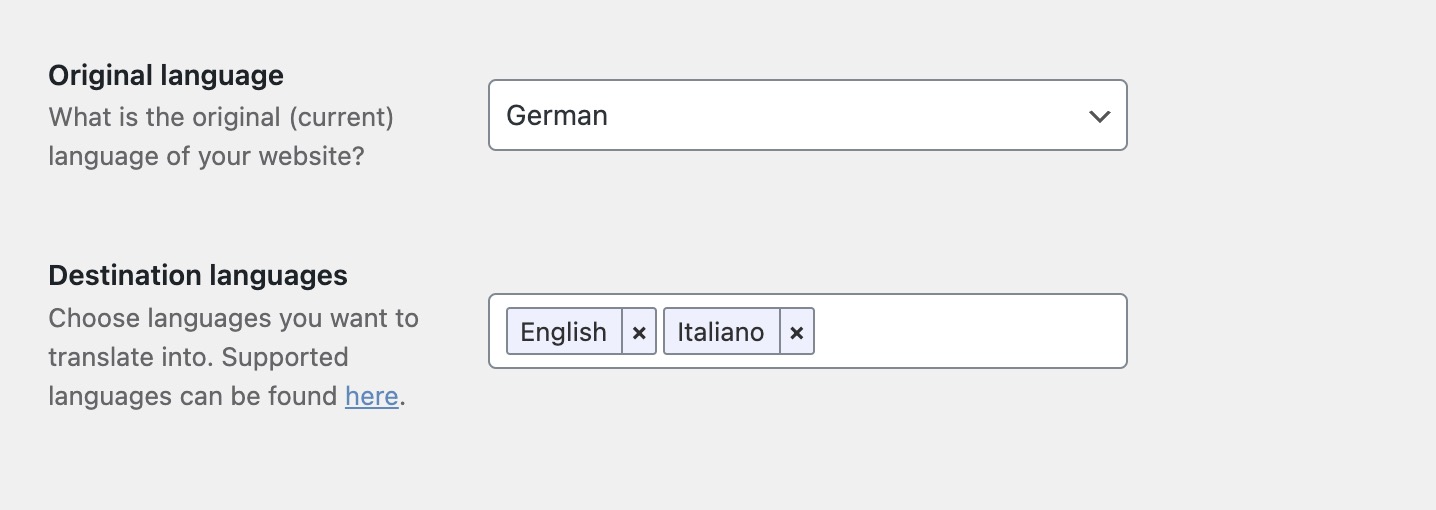
For the translations to work, you now need to select the "original language." This is the language in which you created your content. Next, you can specify all the languages into which Weglot should translate your content.
- Define the design
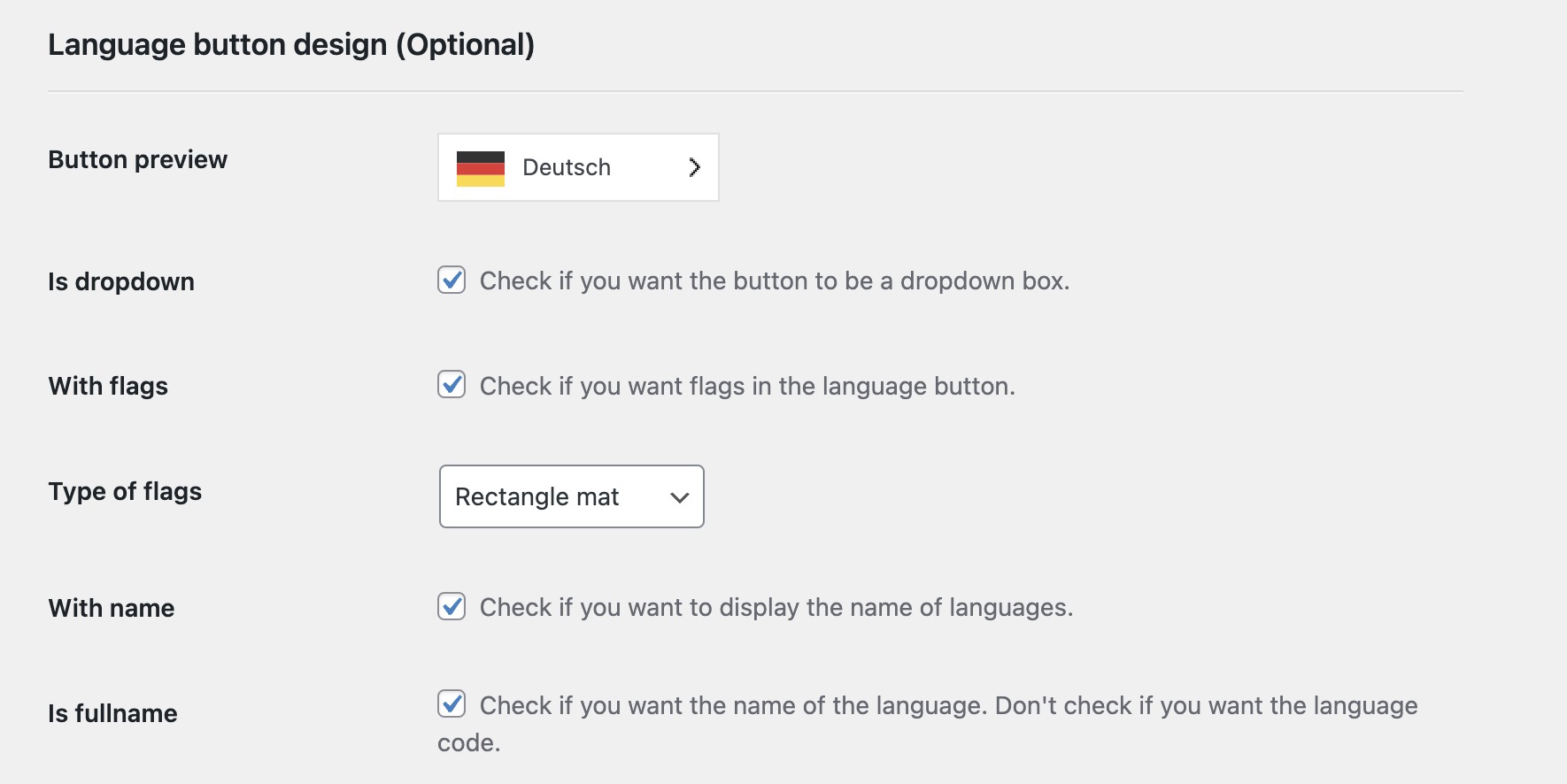
As a final step, you can now define the appearance of the language switcher. Would you prefer a rounded or angular design? Should the language selection appear at the top of the menu or at the bottom of the browser? All this and much more can be set in the options thanks to CSS.
How much does Weglot cost?
Weglot offers different pricing plans depending on your needs, based on how many words are on your website and how many languages you want to integrate.

Weglot's free service offers translations of up to 2,000 words in an additional language. This is ideal for smaller websites that want to offer their content in English, for example.
If the website contains more than 2,000 words, you will need a paid plan, which starts at $9.99 per month or $99 per year.
You can find a current list of prices on the Weglot website.
Can I use Weglot on more than one website?
Weglot can be used on multiple websites with the same account starting with the paid Pro plan. To do this, simply open a new project within Weglot and obtain the API key, which must be saved in the Weglot WordPress plugin settings.








 in Switzerland