
EmDash version 1.0 was released today. Cloudflare introduced the CMS as a beta in April and migrated its own blog to it in August. We’ve already used EmDash to build the website for the Lauerz Ski & Sports Club. In this post, you’ll learn what EmDash is, what sets it apart, and when we’ll continue to recommend WordPress.
What is EmDash?
EmDash is an open-source CMS licensed under the MIT License, written entirely in TypeScript. It is built on the Astro web framework and runs best on Cloudflare, but also works on any self-hosted Node.js server. Cloudflare calls it the“spiritual successor to WordPress”: It takes what made WordPress great—namely, an editorial interface that everyone understands and a system that can be extended with plugins—and rebuilds it using modern technology. It contains no code from WordPress.
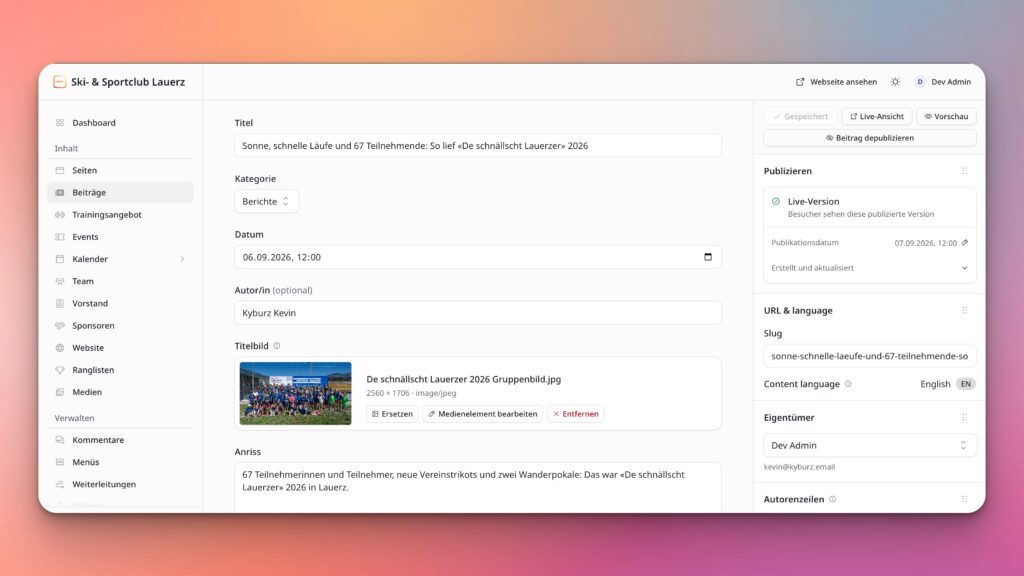
Anyone familiar with WordPress will quickly feel at home in the admin panel. There are pages and posts, a media library, menus, categories, tags, and widgets. Posts can be saved as drafts, scheduled in advance, and restored to a previous version. The roles are, as usual, Administrator, Editor, Author, and Contributor. PHP, on the other hand, is no longer used, and the site doesn’t require a traditional web server either.
Why this matters to us
We’ve been building and maintaining WordPress websites for years and know exactly how much work goes into keeping a site fast and secure. PHP versions must be kept up to date, plugins need regular updates, and fast loading times require a well-configured caching system. That’s exactly what we handle for our customers with our Managed WordPress Hosting.
According to Patchstack’s 2024 security report , 96 percent of all security vulnerabilities in WordPress are found in plugins, because a plugin generally has access to the database, files, and user accounts. A WordPress site is therefore only as secure as its maintenance. For us, that means: We keep plugins up to date, back up every site regularly, and, as a Cloudflare partner, we deploy Cloudflare in front of the site so that attacks are intercepted before they reach the server. EmDash takes a different approach and builds some of these protective measures directly into the system.
What Sets EmDash Apart
Plugins may only do what they have been authorized to do
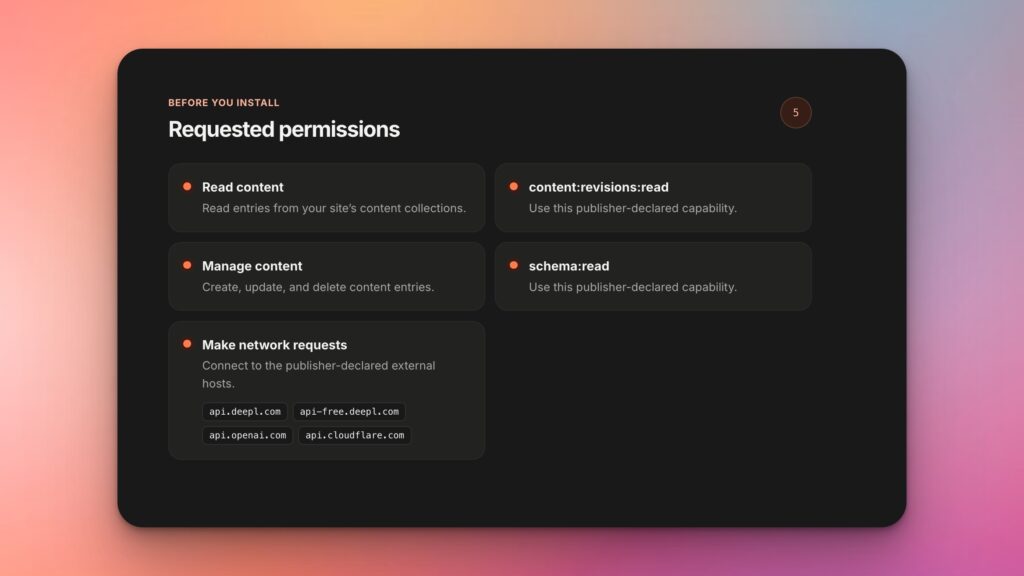
Every EmDash plugin runs in its own isolated environment. It declares in advance what it needs—for example, “read content” and “send emails”—and is not allowed to do anything beyond that. It can only access the internet if it has registered the exact address it wants to communicate with. So you can see even before installation what a plugin is allowed to access—similar to signing in with Google on a third-party app. Even themes cannot access the database in EmDash. For us, this is the most important new feature, because it means security is built right into the architecture.
Fast, even if everyone shows up all at once
EmDash runs serverlessly on Cloudflare. The site launches immediately for every request; when there are no visitors, it scales down to zero; and it is served from the data center closest to the visitor. This ensures that even a sudden surge in traffic is distributed across the entire network. As a Cloudflare partner, we’ve been working with this infrastructure for a long time, and it’s been part of EmDash’s design from the very beginning.
Sign In Without a Password
By default, users log in using passkeys—that is, with a fingerprint, Face ID, or the device’s security key. There is no password that can be stolen or guessed. Companies can also integrate EmDash with their existing single sign-on system, allowing employees to log in with their work accounts.
Custom Content Types Without an Additional Plugin
In WordPress, we usually set up custom post types—such as testimonials, job listings, or events—using a plugin like Advanced Custom Fields. In EmDash, you create them directly in the admin panel, and each one gets its own table in the database. The content is stored as structured data rather than HTML, which means the same text can be used on the website, in an app, or in a newsletter.
AI Assistants Right in the CMS
Every EmDash installation comes with its own MCP server. With your permission, AI assistants like Claude or ChatGPT can use it to do the same things you do in the admin panel: search for content, create drafts, schedule posts, or upload media. This is especially helpful for the tasks that are the most tedious in any CMS—such as when you need to rename, reorder, or move a hundred posts to a new field.
Earn Money When AI Reads Your Content
More and more website visits are coming from AI agents rather than humans, and agents don’t look at ads. That’s why EmDash natively supports x402, an open standard for online payments. You specify which content is subject to a fee and how much it costs, and an agent pays directly upon access, with no subscription required. For publishers and anyone who makes a living from their content, this is an exciting new business model.
Cloudflare uses its own blog to do this
You can only really tell how good a new CMS is once it’s up and running. Cloudflare migrated its own blog to EmDash on August 12, 2026. Normally, the blog handles about 75 requests per second; for popular posts, that number rises to over 5,000. Before the migration, Cloudflare tested the new site with load tests of up to 7,000 requests per second.
The switchover was done gradually: first 1 percent of visitors, then 5, then 15, and by the end of the day, everyone. If an error had occurred, visitors would have been automatically redirected back to the old site. Today, 99.5 percent of static files and 70 percent of all requests come directly from the cache. During Agents Week, Cloudflare published 28 posts in 9 days, which were viewed nearly 3 million times in total. The site withstood a DDoS attack with 28,000 requests per second without any noticeable issues.
Cloudflare also openly acknowledges what didn't work. Scheduled posts didn't work reliably until version 0.19, and there were some minor bugs in the editor that the EmDash team subsequently fixed. We appreciate that this is documented so transparently, because it lets you know what you're getting into.
Our first EmDash website: scllauerz.ch
We tried out on a small scale—in our own village—what works on a large scale at Cloudflare. The Lauerz Ski & Sports Club has been around since 1978; it has about 160 members, 15 instructors, and eight training programs ranging from Muki gymnastics to Feldenkrais. Its new website has been running on EmDash since September 2026.
Each training session has its own page there, listing the target audience, training time, location, and instructors. Anyone interested in a trial session can submit a request directly from that page, and the message is automatically forwarded to the relevant coaches. Training sessions, competitions, and club events are listed in a shared calendar, and the upcoming relevant dates appear on each activity page. The club itself updates the activity listings, dates, photos, and reports.
We're working on EmDash with
Since June 2026, we have also been contributing to the EmDash code itself. Kevin Kyburz from our team is a member of the EmDash triage team, a small group of community members granted extended permissions in the repository by the project. He reviews newly reported bugs, checks pull requests from other developers, and prepares them for final approval by the maintainers. To date, he has submitted 128 pull requests, 111 of which have been merged into EmDash—the last two on the morning of the release date.
Many of these changes aren't visible, but you can tell they're there. For example, logging in with a passkey no longer reveals which email addresses are registered. Magic Links are only activated after explicit confirmation, so an email virus scanner that opens the link in advance no longer uses it up.
One of our key areas of focus is multilingualism, as it is almost always an issue for Swiss websites. Among other things, we provide the hreflang links for translated content, the fallback language when a translation is missing, and the emails for invitations, logins, and password recovery in the website’s language.
LinguaDash: Translate Directly in the Editor
This includes LinguaDash, our free translation plugin for EmDash. Next to each entry, you’ll see which languages are missing, and with a single click, DeepL, OpenAI, or Cloudflare AI will create a draft in the new language. Formatting, links, and images are preserved, and only the content you approve is published online. If you later edit the original, LinguaDash marks the translations as outdated so you know which languages you need to update.
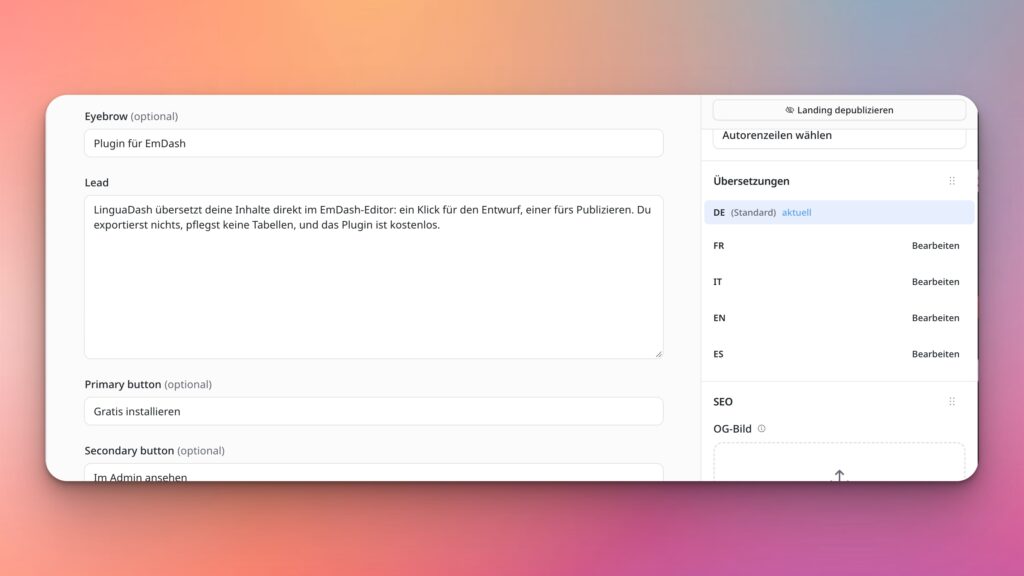
Each translation is a standard EmDash entry with its own URL. If you remove the plugin, all languages remain online. LinguaDash is licensed under the MIT License, and translations are handled through your own account with the respective service, with no per-word charge. You can install it with a single click in the EmDash admin panel under “Directory.” The website linguadash.dev runs on EmDash itself and is translated into five languages using LinguaDash.
When We Continue to Recommend WordPress
After more than twenty years, WordPress has built an ecosystem that no new CMS can match anytime soon. There’s a tried-and-true plugin for almost every need, many teams are already familiar with how to use it, and most services—from payment providers to newsletter tools—offer ready-made integrations. EmDash is still new, and much of what’s already available for WordPress still needs to be developed there.
For online stores with a large number of products, various payment methods, and integrations with accounting or shipping systems, WooCommerce is therefore the more robust solution. The same applies to websites that rely on many extensions. With our managed hosting and Cloudflare in front of it, such sites run quickly and securely, and EmDash doesn’t change that.
What's Changing for Our Customers
If your website currently runs on WordPress, you don't need to do anything. We'll continue to develop, maintain, and host WordPress sites just as we have been, and no one will be forced to switch.
Making the switch might be worth it if your site needs a relaunch anyway, if it primarily displays content and gets by with just a few plugins, or if you want to run it entirely on Cloudflare. Content is imported either via a WordPress export or through the EmDash Exporter plugin, which establishes a secure connection to your WordPress site. Images and other media are automatically transferred, and custom content types from WordPress become custom content types in EmDash. We’ll handle redirects, design, and any missing plugin features to ensure your Google rankings survive the move.
Our Conclusion
For us, EmDash 1.0 is a true complement to WordPress, and editors don’t have to learn everything from scratch to use it. The fact that Cloudflare runs its own blog on it convinced us more than any announcement ever could. For new company websites that don’t require many plugins, we’re now recommending EmDash as an option. For online stores and websites with many plugins, WordPress and WooCommerce remain our tools of choice, and you’re in good hands with us in both worlds.
Are you wondering if EmDash is a good fit for your project? You can find all of our services on our EmDash Agency page, or you can email us directly at hello@thismatters.agency.








 in Switzerland